
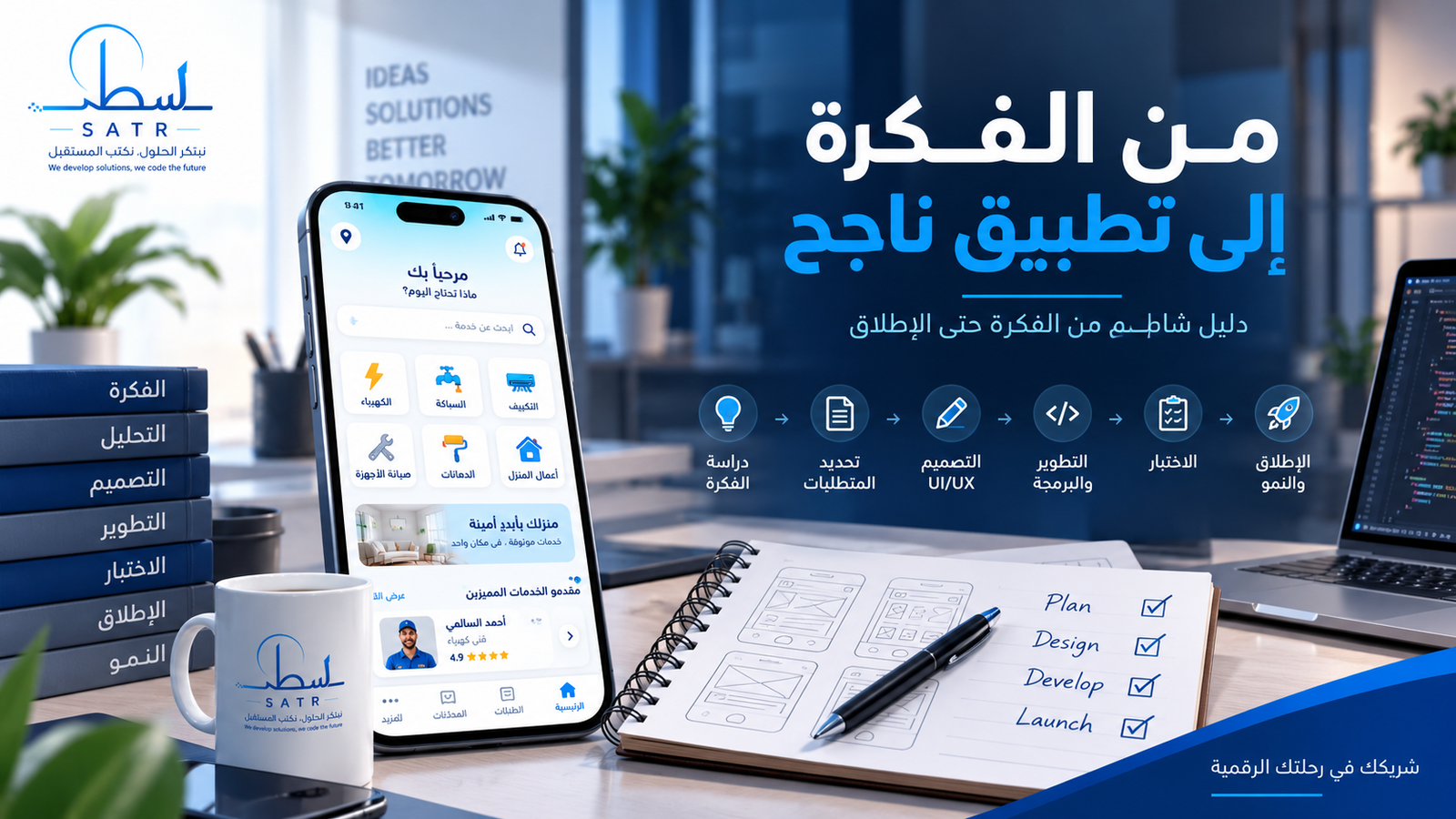
How to Turn an App Idea into a Successful Product
Having a good mobile app idea does not necessarily mean the project is ready for development.
The difference between an idea and a successful digital product lies in how the problem is analyzed, the target users are identified, the right features are selected, and the product is designed and built on a scalable technical foundation.
This guide walks through the main stages of turning an application idea into a real product.
1. Start With the Problem
Before thinking about colors, screens, or programming technologies, answer one question:
What problem will the application solve?
Your product might help users book a service, manage business operations, purchase products, access educational content, connect with professionals, or automate a process currently handled manually.
The clearer the problem is, the easier it becomes to define the product.
2. Identify Your Target Users
Avoid trying to build a product for everyone.
Identify the people who will actually use it.
Depending on the project, users may include:
- Customers
- Service providers
- Vendors
- Employees
- Students
- Administrators
Each user type may require a different interface, workflow, and permission level.
3. Research Competing Products
Competitor research is not about copying other applications.
It helps you understand the market.
Evaluate:
- Features offered by competing products
- Their user experience
- User complaints
- Registration and onboarding
- Ordering workflows
- Opportunities for improvement
This can prevent unnecessary development and reveal essential product requirements.
4. Define the MVP
You do not need every planned feature in the first release.
A Minimum Viable Product contains the essential features required for users to receive the core value of the product.
For a service-booking application, an MVP might include:
- Account registration
- Service discovery
- Provider selection
- Order creation
- Order tracking
- Notifications
- Administration dashboard
More advanced features can be introduced in future versions.
5. Document the Requirements
Before development begins, transform the idea into clear requirements.
Define:
- User types
- Screens
- Permissions
- Workflows
- Administration features
- External integrations
For example:
Login → Select Service → Enter Details → Submit Request → Provider Accepts → Service Completed.
Clear requirements help reduce unexpected changes during development.
6. Design the UI and UX
UI and UX are related but different.
UX — User Experience defines how users interact with the application and move through different tasks.
UI — User Interface defines the visual appearance, including typography, colors, buttons, cards, and layouts.
A good interface should make it clear what the user should do next and provide appropriate feedback after every important action.
7. Choose the Right Technology
There is no single technology that is ideal for every mobile application.
Options may include:
- Flutter
- React Native
- Native Android
- Native iOS
The choice should depend on the product requirements, performance expectations, budget, integrations, and long-term development plans.
8. Remember the Backend
The mobile interface is only one part of many digital products.
A complete application may also require:
- Backend services
- Database
- APIs
- Administration dashboard
- File storage
- Authentication
- Notifications
Project scope should therefore be evaluated as a complete system rather than simply counting mobile screens.
9. Plan External Integrations
Modern apps often integrate with external services such as:
- Payment gateways
- Maps
- GPS
- SMS
- Push notifications
- Cloud storage
- ERP systems
- Accounting systems
- Third-party APIs
These integrations should be identified during planning because they can affect development time, architecture, and cost.
10. Build Security Into the Product
Security should not be treated as a final-stage feature.
Important considerations include:
- Password protection
- Authentication sessions
- User permissions
- API security
- Data access controls
- Secure file handling
- Backups
- Dependency updates
Security requirements vary depending on the sensitivity of the data handled by the application.
11. Test Before Launch
A product should be tested across several areas.
Test its:
- Features
- User experience
- Screen sizes
- Device compatibility
- Performance
- Error handling
- Network failure behavior
A stable launch requires testing both normal workflows and unexpected situations.
12. Prepare for App Store Release
Before publishing, prepare:
- Application name
- App icon
- Store screenshots
- Description
- Privacy policy
- Production build
- Store configuration
Publishing is not the end of the development process.
It is the beginning of the product's real-world lifecycle.
13. Improve After Launch
Real users provide valuable information that cannot always be discovered during development.
After launch, you may find opportunities to:
- Simplify workflows
- Add requested features
- Improve specific screens
- Automate operations
- Add integrations
- Optimize performance
A scalable architecture makes these improvements easier to implement.
What Determines Mobile App Development Cost?
The price of an application cannot be accurately determined from a sentence such as:
“I need a delivery app.”
Cost depends on factors including:
- Number of user roles
- Number of screens
- Administration dashboard
- Payment systems
- Location and maps
- Messaging
- Notifications
- External integrations
- E-commerce functionality
- Design complexity
- Backend infrastructure
- Security requirements
- Supported platforms
A proper requirements analysis should therefore come before the final scope, schedule, and budget.
Common Mistakes
Common mistakes include:
- Starting development without clear requirements
- Adding too many features to the first release
- Ignoring the administration dashboard
- Choosing technology before analyzing requirements
- Building without considering future scalability
From an Idea to a Digital Product
Successful product development is a connected process:
Idea → Analysis → Requirements → Design → Development → Testing → Launch → Continuous Improvement
Each stage influences the next.
Good planning at the beginning can reduce unnecessary complexity and create a stronger foundation for future development.
Have an App Idea?
If you are planning an Android or iOS application, begin by identifying the problem, target users, and core features.
The next step is to transform those ideas into a clear project scope covering screens, functionality, architecture, integrations, and implementation stages.
Satr Technology develops digital products including mobile applications, websites, digital platforms, e-commerce solutions, ERP systems, and custom management systems.
Start with a clear plan before writing the first line of code.
Related services
About Satr Technology Team
Satr Technology Team specializes in designing and developing digital products and software solutions, including mobile applications, websites and digital platforms, e-commerce solutions, ERP systems, and custom management systems. Through the Satr Technology Blog, we share practical technology insights that help businesses and entrepreneurs understand the process of building scalable digital products.