
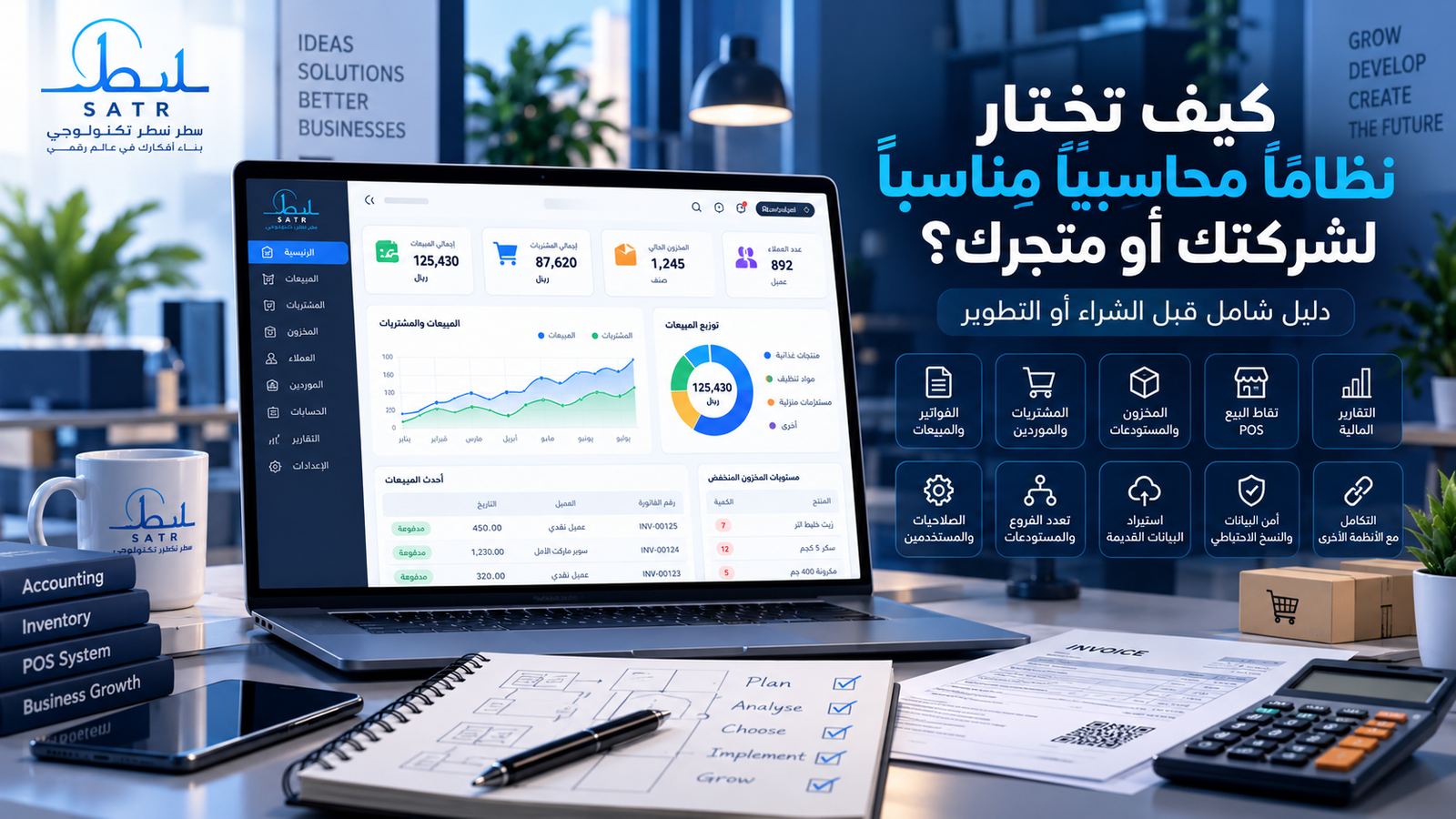
As a business grows, managing accounts through spreadsheets or basic software can become increasingly difficult.
More sales, customers, suppliers, inventory, employees, warehouses, and branches mean more information that needs to remain accurate and connected.
At this point, many business owners start searching for accounting software.
But the most important question is not:
What is the best accounting software?
The better question is:
Which accounting system fits the way my business actually operates?
This guide covers the most important factors to evaluate before purchasing or developing an accounting system.
Start With Your Business Requirements
Before comparing software, understand how your organization currently works.
Consider whether you operate one or multiple branches, manage warehouses, sell on credit, use sales representatives, require POS terminals, manage many customers and suppliers, or need different permission levels for employees.
You should also determine whether existing information needs to be migrated from spreadsheets or another system.
These requirements should guide the software selection process.
Accounting and Financial Management
The financial module is at the core of an accounting system.
Depending on your requirements, it may need to provide a chart of accounts, journal entries, revenues and expenses, cash and bank management, customer and supplier balances, receivables, payables, invoicing, payments, adjustments, and financial reports.
These functions should also work together correctly.
A sales invoice, for example, may need to affect the customer balance, revenue, inventory, and relevant accounting entries.
Sales and Invoicing
Businesses that rely heavily on sales should carefully evaluate the sales workflow.
Useful functionality may include invoices, sales returns, discounts, credit sales, customer credit limits, quotations, sales orders, multiple payment methods, and outstanding balance tracking.
Organizations with sales teams may also require sales performance and commission tracking.
Purchasing and Supplier Management
A good system should help manage suppliers, purchase invoices, purchase returns, payments, supplier balances, and purchase orders.
Connecting purchasing with inventory and accounting reduces duplicate work and improves visibility across the organization.
Inventory and Warehouses
Inventory management is particularly important for retailers, distributors, supermarkets, and warehouse-based businesses.
Useful functionality may include product categories, real-time stock levels, minimum stock alerts, warehouse transfers, stocktaking, movement history, returns, units of measurement, and barcode support.
Organizations with several locations should be able to track inventory separately for each warehouse and branch.
Point of Sale
Retail businesses may need an integrated POS system.
Ideally, a sale completed through the POS should automatically update inventory, sales records, and payment information.
Useful POS functions include barcode scanning, quick product search, multiple payment methods, discounts, returns, cashier permissions, shift management, and receipt printing.
Multiple Branches and Warehouses
A system that meets your requirements today should also be able to support reasonable future growth.
If expansion is planned, evaluate support for multiple branches, warehouses, user permissions, stock transfers, and consolidated reporting.
Users and Permissions
Employees should only have access to the information and functions required for their roles.
Sales employees, warehouse staff, accountants, cashiers, and managers may all require different permissions.
Role-based access control is therefore an important part of a business accounting system.
Reports and Dashboards
Accounting software should do more than store information.
It should help management understand business performance.
Reports may include sales, expenses, profit, customer balances, supplier balances, stock levels, best-selling products, branch performance, and other operational information.
Ease of Use
A system with many features is not useful if employees find it difficult to operate.
Frequently used processes should be easy to access and complete.
An intuitive interface can reduce training time, improve employee adoption, and decrease operational mistakes.
Security and Backups
Accounting systems contain important business information.
Evaluate backup procedures, user authentication, permissions, database protection, secure connections, activity logging, and recovery procedures.
Businesses should also understand who is responsible for maintaining backups and restoring information when necessary.
Migrating Existing Data
Companies often have years of historical information stored in Excel files, CSV files, databases, previous accounting software, or ERP systems.
Before adopting a new system, determine how this information will be migrated.
A proper migration process may involve cleaning existing information, removing duplicates, mapping fields, importing records, and validating balances afterward.
Integrations
Your accounting system may eventually need to connect with other services such as an e-commerce platform, mobile application, CRM, payment gateway, shipping platform, HR system, or another internal application.
APIs and integration capabilities can greatly reduce duplicate data entry.
Support and Future Updates
Before selecting a solution, understand how technical support works.
Ask how bugs are handled, whether updates are provided, whether new functionality can be added, and whether your data can be exported when required.
The system should be evaluated as a long-term business tool rather than only by its initial features.
10 Questions to Ask Before Choosing Accounting SoftwareBefore making a decision, ask:
- Does the system support my type of business?
- Does it provide the accounting, sales, and purchasing functions I need?
- Can it manage my inventory and warehouses?
- Does it support multiple branches?
- Can employee permissions be controlled?
- Does it provide the reports management needs?
- Can existing data be migrated?
- Can it integrate with other systems?
- Are backups and security measures appropriate?
- Can it scale as the company grows?
If the answer to several business-critical questions is no, the software may not be the right solution.
Ready-Made or Custom Accounting Software?
Ready-made accounting software can be an effective option when business processes closely follow standard workflows.
It may be faster to deploy and require a lower initial investment.
Custom accounting software is worth considering when an organization has unique workflows, specialized reports, integration requirements, approval processes, or other requirements that standard software cannot efficiently support.
Custom development should always begin with business analysis.
When Is a Custom Accounting System Appropriate?
A custom solution may be appropriate when you require specialized workflows, unique management reports, integration between several departments, connections with websites or applications, legacy data migration, specialized permissions, or gradual expansion into additional modules.
Accounting Software or ERP?
Sometimes requirements analysis reveals that an organization needs more than traditional accounting software.
Companies with several interconnected departments may benefit from ERP.
Our article ERP vs Accounting Software: What’s the Difference and Which Does Your Business Need? explains the distinction in more detail.
Common Mistakes
Common mistakes include selecting software based only on price, paying for unnecessary functionality, ignoring employee workflows, failing to plan data migration, overlooking future growth, ignoring backup requirements, and selecting software based primarily on visual appearance.
Start With Business Analysis
Map your current workflow before selecting a system.
Understand how sales, purchasing, inventory, expenses, collections, approvals, users, and reports work.
Separate essential requirements from features that can be introduced later.
This creates a much stronger foundation for either purchasing or developing your accounting system.
How Satr Technology Can Help
At Satr Technology, accounting system development starts with understanding the organization's actual operations.
We analyze the required accounting, sales, purchasing, inventory, customer, supplier, branch, permission, reporting, and integration modules before development begins.
Existing information can also be reviewed to determine an appropriate migration approach.
The goal is to build a system that meets current requirements while remaining scalable as the organization grows.
Frequently Asked Questions
What is the most important factor when choosing accounting software?
The software should fit the organization's actual processes and requirements rather than simply offering the largest number of features.
Can a business use Excel instead of accounting software?
Spreadsheets may work for simple operations, but specialized systems become more useful as transaction volume, inventory, users, and reporting requirements increase.
Can Excel data be migrated to an accounting system?
In many cases, yes. The data should be reviewed, cleaned, and prepared before import.
Does accounting software need inventory management?
It depends on the business. Companies that sell physical products or manage warehouses usually benefit significantly from integrated inventory management.
Is custom accounting software better?
Not in every situation. Standard software may be ideal for conventional requirements, while custom systems are useful when the organization has specialized processes.
Conclusion
Choosing accounting software should begin with understanding your business rather than comparing feature counts.
Evaluate accounting, sales, purchasing, inventory, branches, user permissions, reporting, security, existing data, integrations, and future growth.
The right system is one that solves current operational problems while remaining usable and scalable as the organization develops.
If standard solutions cannot support the way your business works, a custom accounting system may be worth considering.
Satr Technology can help analyze your requirements and identify the modules, reports, integrations, and migration approach required before development begins.
Related services
About Satr Technology Team
Satr Technology Team specializes in developing accounting, ERP, and business management systems, as well as websites, e-commerce platforms, and mobile applications, with a focus on scalable software built around each project's actual operational requirements.